Prices increase 1 July. Order now to lock in current pricing.

Zigbee Smart Scene Push Button – 1-5 Click Wireless Remote, Home Assistant Compatible

£6.99

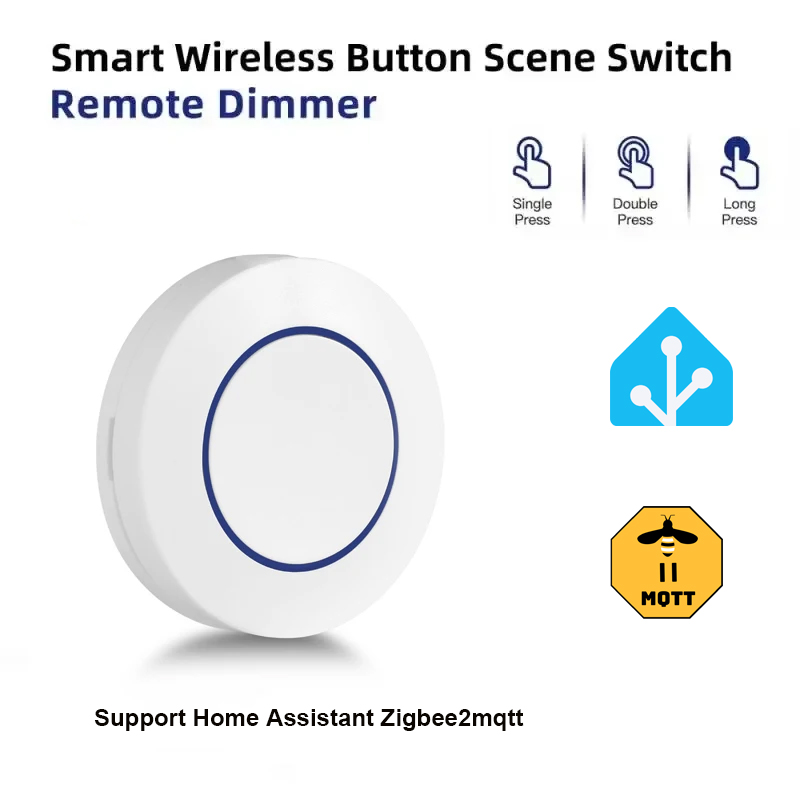
Zigbee switch button for Tuya scenes – single & double-click control. No installation; place on a desk, wall or wherever it suits.


  • Trigger up to five different Zigbee scenes from one button (1 to 5 click patterns plus long press)
  • Pairs with Home Assistant, Tuya Smart and any other Zigbee 3.0 hub
  • No installation – stick to a wall, sit on a desk, drop in a drawer
  • Battery-powered, fully wireless and portable
  • One-tap activation of automations without opening an app

• Control Any Tuya-Powered Smart Device
Easily operate your Tuya-compatible lights, electronics, and appliances from anywhere. A single button gives you direct control without needing to reach for your phone.

• No Installation Required
Place it on a table, stick it to the wall, or keep it wherever it’s most convenient. The button is always within reach and ready to use.

• Customisable Scene Control
Create personalised smart scenes in the Tuya Smart app and trigger them instantly with a single press. The button supports both single-click and double-click actions, letting you assign different scenes to each.

• One-Tap Smart Living
No need to open the app–activate your favourite routines with a simple tap of the Zigbee smart button

Compact and battery powered, this Zigbee button mounts anywhere with no wiring and triggers scenes, lights and automations with one to five clicks.

Brand

Samotech

Frequently Asked Questions

What does the Zigbee Switch Button do?

The Zigbee Switch Button is a battery-powered scene controller that triggers Tuya smart-home scenes with a single press. Pair it to your Zigbee hub via the Tuya Smart app, assign scenes to single-click and double-click actions, and trigger them instantly without opening the app.

How many actions can the Switch Button trigger?

The button supports two distinct actions: single-click and double-click. You can assign different scenes or automations to each, effectively turning a single button into two controls.

Does the Switch Button need installation?

No installation is required. Place it on a desk, stick it to a wall, keep it on a bedside table — the button is wireless and battery-powered, ready to be used wherever it’s most convenient.

Which platforms is the Switch Button compatible with?

The button uses Zigbee 3.0 and works through the Tuya Smart app — pair it with any Tuya Zigbee hub or compatible Zigbee gateway, then assign Tuya-defined scenes to its press actions.

What scenes can I trigger with the Switch Button?

Through the Tuya Smart app, you can create personalised scenes — switch off all the lights at bedtime, turn on a movie-night scene, control specific groups of devices, run a wake-up routine — and trigger any of them with a single tap or double-tap.

Technical Specifications

Reviews

There are no reviews yet

Add a review
You must be logged in to post a review Log In