Matter Dimmer Module – No neutral, module only

(5 customer reviews)

£38.99

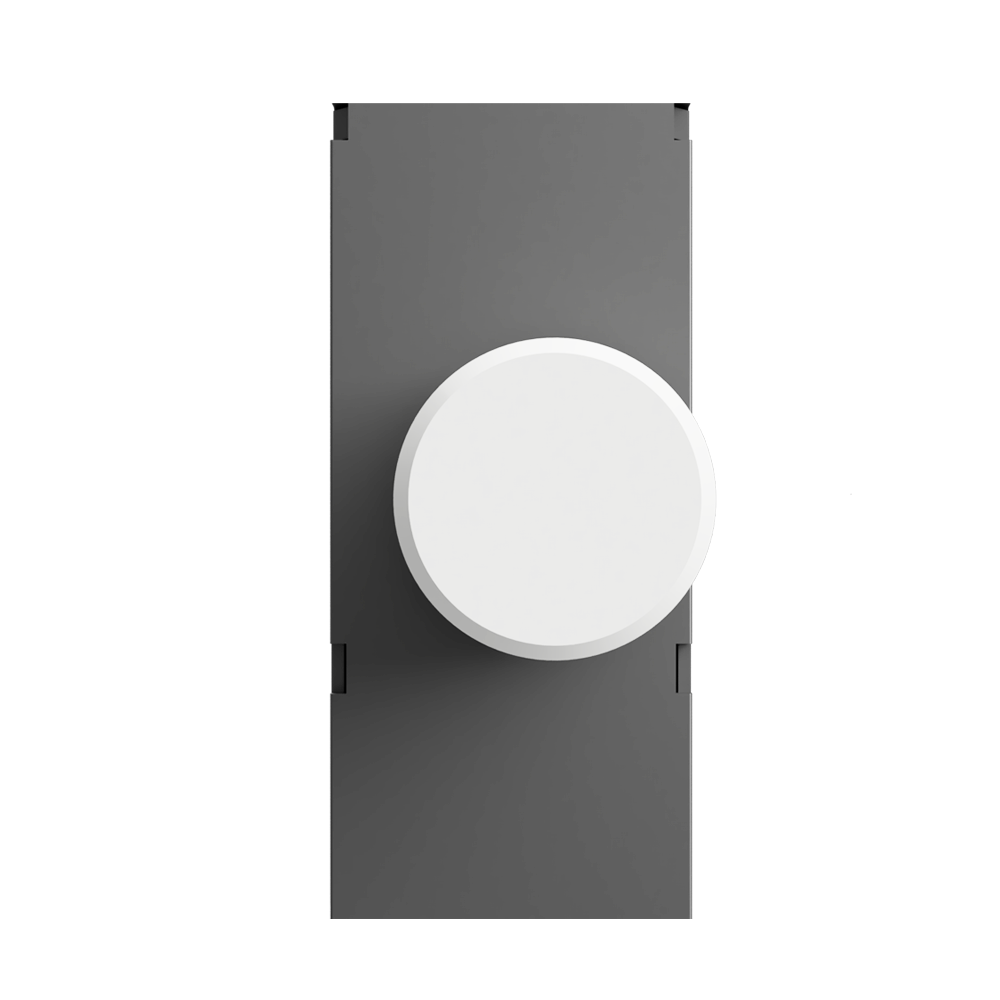
Bare Matter over Thread dimmer module – PCB only, no faceplate or knob. UK two-wire compatible (no neutral required, optional neutral connection). Up to 150 W LED / 350W incandescent. Trailing-edge dimming. Fits inside a standard UK 35 mm-deep back box behind any existing wall plate – ideal for retrofitting or keeping a designer faceplate you already own.

  • Bare PCB module – fits behind any existing wall plate (retrofit-friendly)
  • Matter over Thread – native multi-admin control via Apple Home, Google Home, Alexa and SmartThings
  • No neutral required – works on UK two-wire lighting circuits (neutral connection optional if available)
  • Dims up to 150 W LED and 350 W incandescent or halogen, trailing-edge dimming
  • Fits a standard UK 35 mm-deep back box; Thread Border Router required
SKU: SM323-MT Categories: ,

The SM323-MT module is the bare PCB version of our Matter dimmer – the same proven hardware used in the SM323-MT plate-bundled variants, supplied without a faceplate or knob. Designed for installers and customers who already own a designer wall plate, or who want to retrofit smart control inside an existing UK wall switch.

Communicates via Matter over Thread, bringing native multi-admin support for Apple Home, Google Home, Amazon Alexa and Samsung SmartThings simultaneously. Pair once, control from every ecosystem.

Key features

  • Protocol: Matter over Thread (Thread Border Router required)
  • Dimmer type: Trailing edge (reverse phase)
  • Input voltage: 230 VAC, 50/60 Hz
  • Max LED load: 150 W
  • Max incandescent / halogen load: 350 W
  • Module dimensions: 51 × 26 × 24 mm (fits standard UK 35 mm-deep back boxes)
  • Weight: 30 g
  • Wiring: Live only, or Live + Neutral if available. Screw terminals accept 1.0–1.5 mm² solid or stranded cable
  • Switch type: 2-way (retractive switch only)
  • Multi-admin: Apple HomeKit, Google Home, Alexa, SmartThings, Hubitat – all simultaneously via Matter

Ideal for

  • Retrofitting existing UK wall switches with smart Matter control
  • Installations where you already own a designer faceplate (e.g. Crabtree, Hager, MK)
  • Behind blanking plates for hidden smart dimming
  • Multi-ecosystem households who want a single device that works with every Matter hub

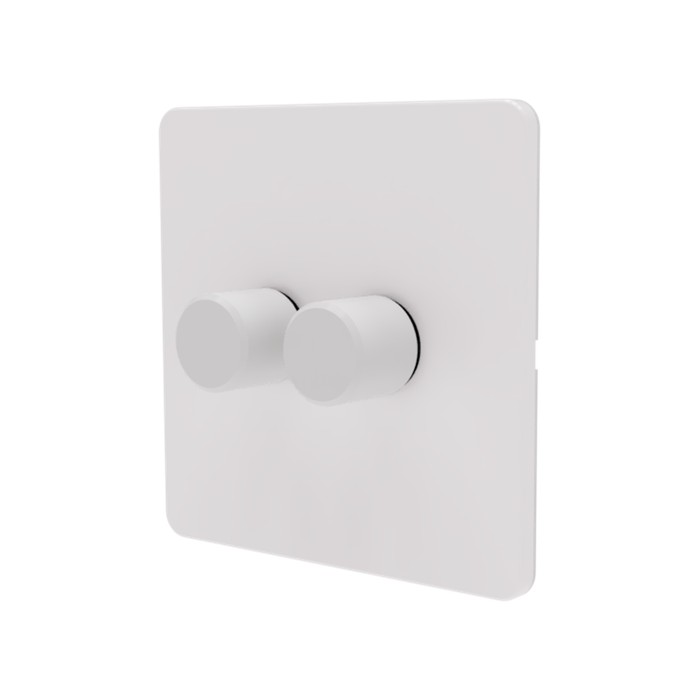
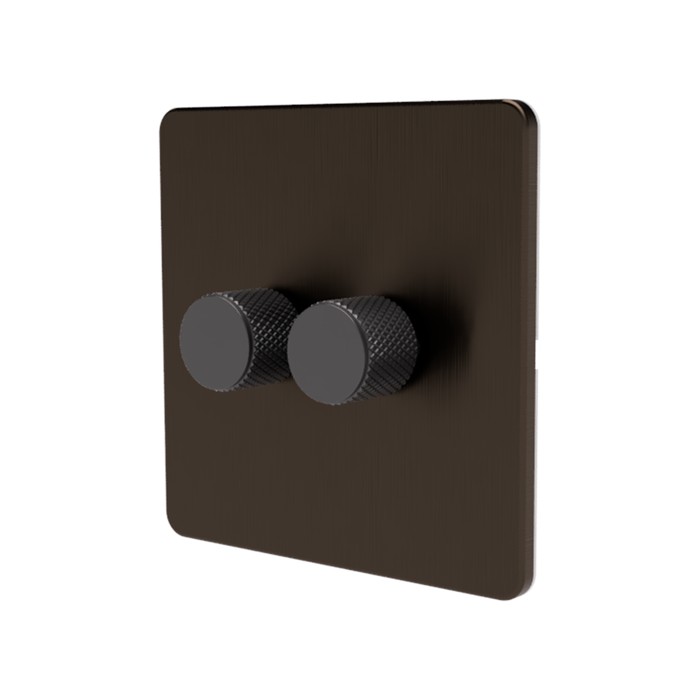
Looking for the complete switch (module + screwless flat plate + knurled knob)? See the Matter Dimmer Switch family – available in white, grey, black, brushed chrome and brushed antique brass.

Brand

Samotech

Frequently Asked Questions

How does the SM323 Matter dimmer differ from the original SM323 Zigbee dimmer?

The SM323 Matter dimmer uses the same proven hardware platform as our Zigbee SM323 — same dimming circuitry, wiring, and form factor — but communicates via Matter Over Thread instead of Zigbee. Matter offers native support across Apple Home, Google Home, Alexa and SmartThings without proprietary apps or vendor lock-in. You will need a Thread Border Router on your network.

Which smart home platforms work with the SM323 Matter dimmer?

It is natively compatible with Apple Home (HomeKit), Google Home / Nest, Amazon Alexa, and Samsung SmartThings via Matter — no proprietary app or vendor lock-in required. Home Assistant and Hubitat are also supported, though their Matter integration is still evolving and may expose basic on/off and dimming ahead of more advanced features.

Do I need a Thread Border Router to use the SM323 Matter dimmer?

Yes. Compatible Thread Border Routers include: HomePod mini, HomePod (2nd gen), Apple TV 4K (2021+), Nest Hub (2nd gen), Nest Hub Max, Nest WiFi Pro, Google TV 4K, Echo (4th gen), Echo Show 8/10 (3rd gen), Echo Show 15 (2nd), Echo Hub, eero WiFi routers, SmartThings Hub v3, SmartThings Station, and Aeotec Smart Home Hub.

Does the SM323 Matter dimmer require a neutral wire?

No, the SM323 Matter dimmer does not require a neutral wire — it works in both no-neutral and conventional installations. In no-neutral wiring, bridge the L and N terminals as shown in the wiring diagram. If a neutral is present at the switch position, connect it normally for the most stable performance.

What load can the SM323 Matter dimmer handle?

The SM323 Matter dimmer handles up to 175W of dimmable LED load and up to 350W of incandescent or halogen load, with 230VAC input. It is a trailing-edge dimmer suitable for modern LED lighting. Refer to the Bulbs Compatibility Matrix tab for compatible load sources.

Will the SM323 Matter dimmer keep working if my internet is down?

Yes. Once commissioned, the SM323 dimmer operates locally over Matter Over Thread. Internet access may be required for initial setup and some controller features, but basic on/off and dimming continues to work locally — even if your WiFi or broadband is down.

Can I disable dimming on the SM323 Matter and use it just as an on/off switch?

Yes — lights connected to the SM323 Matter can be turned on or off either by rotating the knob or by simply pressing it. If you want to avoid dimming altogether, just use the press action. Note that with non-dimmable bulbs, accidentally rotating the knob can still cause slight flickering, so dimmable bulbs are always preferred where possible.

Can the SM323 Matter be used in decoupled or smart-bulb mode?

The SM323 Matter is designed to be wired directly to standard 220–240V dimmable bulbs and does not support a true decoupled or smart-bulb mode. As a workaround, you can wire the dimmer with Live and Neutral only (no light load attached) so it appears in your Matter controller (Apple Home, Google Home, Alexa, SmartThings, etc.). You can then use it as a trigger for automations that control other smart devices. In this setup only the on/off action is reliable — rotating the knob will not translate to dimming on remote devices.

Are the SM323 Matter faceplates and knobs metal or plastic?

Samotech faceplates are made of plastic except the Chrome and Brass finishes, which are metal. All knobs are made of high quality aluminium except where the variant name specifically states plastic (for example, "white plastic"). Check the variant you have selected on the product page for the exact material.

When wired using only the live wire, lights flicker at full brightness. What should I do?

Ensure you follow the wiring diagram correctly. If your SM323 Matter dimmer is installed without a neutral wire, make sure to bridge the L and N terminals as indicated in the wiring diagram.

My lights remain faintly lit even when turned off. How do I fix this?

This can occur when the dimmer is connected to a very low load. Fitting a bypass capacitor at the light fitting is recommended in such cases.

How do I factory reset the SM323 Matter dimmer if the reset button is inaccessible?

To factory reset the dimmer, switch the power off and on five times from the consumer unit or circuit breaker. After the final power-on, the dimmer will enter pairing mode automatically.

Technical Data

Manufacturer SAMOTECH / Sunricher
Part number SM323-MT-SL-DIM
Item weight 30 g
Product dimensions 51 × 26 × 24 mm
Type Trailing edge dimmer
Protocol Matter over Thread
Input voltage 230 VAC
Compatibility Apple Home (HomeKit) Google Home / Nest Amazon Alexa Samsung SmartThings Home Assistant Hubitat
Light control Push (On/Off), Rotary (Dimming)
Frequency 2.4 GHz
Max LED wattage 175 W
Max incandescent load 350 W
Max halogen load 350 W
Wiring requirements Live only or Live + Neutral
Switch type 2-way

Manual

SAMOTECH SM323 Matter-Over-Thread dimmer manual

Pre-install Checklist

Pre-install checklist for SM323 Matter over Thread
• Confirm you have at least one configured Thread Border Router that is powered on and nearby.
• Keep the Matter QR code or setup code safe until commissioning is complete. We recommend taking a photo and saving it.
• Update your controller app (Apple Home, Google Home, Hubitat, Home Assistant) to the latest version.
• If reinstalling or moving the dimmer, perform a factory reset before re-pairing.
• Avoid installing in deep metal back boxes where possible, as they can reduce Thread signal strength.
Checklist: Before sharing the SM323 to other Matter controllers
• Ensure the dimmer is fully working in the primary Matter controller first.
• Use the primary controller’s built-in Share / Add accessory option (Matter multi-admin).
• Do not factory reset the device when adding additional controllers.
• Allow a few minutes after sharing for the new controller to sync and populate controls.

Bulbs Compatibility Matrix

BULB / LOAD TYPE COMPATIBILITY RISK LEVEL TYPICAL SYMPTOMS RECOMMENDATION
SAMOTECH Dimmable GU10 SAMOTECH GU10 Compatible None None Recommended
Incandescent / Halogen Incandescent Halogen Compatible None None Recommended
Dimmable LED (Quality brands) Quality LED bulbs Compatible None None Recommended
Dimmable LED (Cheap / unknown) Cheap LED bulbs Conditional Very Low Minor flicker. May not turn off fully. Test first. Use a bypass if required.
Low load LEDs (<15W) Low load LED bulbs Conditional Very Low Minor flicker. May not turn off fully. Use a bypass
LED strips (220V dimmable driver) LED strip dimmable Conditional Medium Minor flicker Test first
Integrated LED fittings (separate LED driver, colour modes) Integrated LED fitting Conditional Medium Flashing or intermittent operation due to internal LED driver control Test first
Non-dimmable LED Non dimmable LED Not compatible High Flicker, overheating Do not use with dimmers
Smart bulbs Smart bulb Not compatible High Disconnects, rebooting Do not use with dimmers
LED strips (220V non-dimmable driver) Non dimmable LED strip Not compatible High Flicker, overheating Do not use with dimmers
Fluorescent / CFL CFL bulb Not compatible High Failure to start Do not use with dimmers

5 reviews for Matter Dimmer Module – No neutral, module only

4.6
Based on 5 reviews
5 star
60
60%
4 star
40
40%
3 star
0%
2 star
0%
1 star
0%
1-5 of 5 reviews
  1. (0) (0)
  2. Easy to install, works great!

    (0) (0)
  3. (0) (0)
  4. Great product, probably a unique product on the market right now. A non-dimmer version would also be great, for dummy dimmer scenarios

    (0) (0)
  5. The dimmer modules work well. However, what felt like it could have been a 10 minute job was much longer due to the way pairing is done. The pairing and configuration buttons are on the front of the module, which means they can’t be pressed after fitting in place. I wasn’t sure if I might need to pair them again in the future and didn’t fancy playing around with the modules while they were hanging out of the wall. Luckily I have a screwless faceplate, so I used the plastic face of one of the modules as a template to drill access holes for the button, so if I need to press them I only need to pop the faceplate off. Getting that plastic cover off was a pain, though.

    A much better way would be something like pressing in the dimmer for 10 seconds to put it into pairing mode.

    (1) (0)
Add a review
You must be logged in to post a review Log In