Zigbee Dimmer Switch – Black, Push/Rotary, No Neutral, HA, SmartThings, Hue

(5 customer reviews)

£41.99£129.99

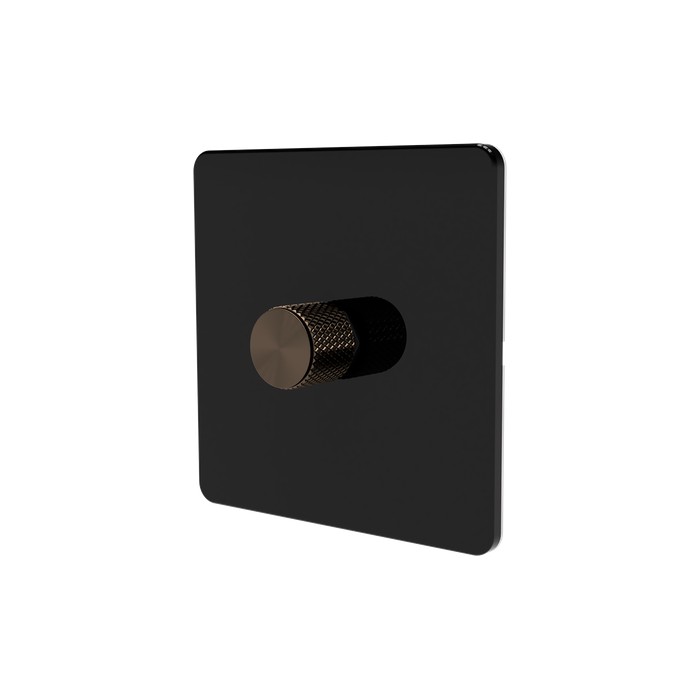
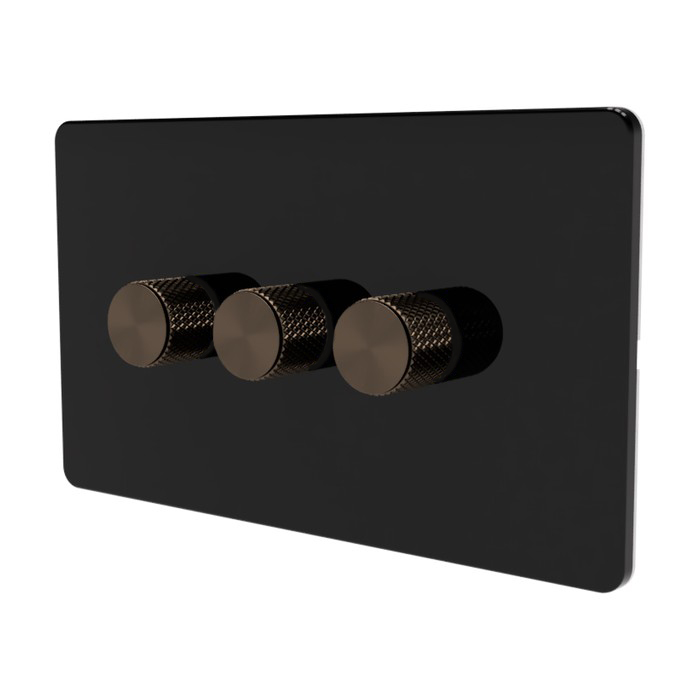
UK rotary Zigbee dimmer switch on a screwless flat black faceplate with a metal knurled black knob. No-neutral compatible (optional neutral connection). Push to toggle, rotate to dim – 5W to 150W LED, up to 350W incandescent. Voice control via Alexa, Google Assistant and Apple HomeKit (through your hub’s HomeKit bridge). Every module acts as a Zigbee mesh router.

  • Native Zigbee 3.0 – pairs with Home Assistant (Z2M, ZHA), SmartThings, Hubitat, Hue Bridge, Aqara and any Zigbee 3.0 hub
  • No neutral required – works on UK two-wire lighting circuits (neutral connection optional if available)
  • Push to toggle, rotate to dim – traditional dimmer feel with smart control behind it
  • Dims 5–150 W LED and up to 350 W incandescent or halogen
  • Built-in Zigbee mesh router – every module strengthens your smart-home network
Product Variation: Actual product colour may vary slightly from the generated images shown due to lighting, screen settings, and manufacturing variations

The SM323-ZG-BLACK is the black variant of our flagship SM323 V2 Zigbee dimmer – a screwless flat plate UK rotary dimmer with a knurled metal knob, fitted with the same proven SM323V2 PRO module behind the faceplate. Push to toggle, rotate to dim. Designed for no-neutral installations (optional neutral connection is also supported).

Native Zigbee 3.0 device that pairs directly with Home Assistant (Zigbee2MQTT / ZHA), SmartThings, Hubitat, Philips Hue Bridge, Aqara, and any other Zigbee 3.0 hub. Voice control via Alexa, Google Assistant and Apple HomeKit (through your hub’s HomeKit bridge). Every SM323-ZG module also functions as a Zigbee 3.0 mesh router, extending the range and resilience of your smart home network.

Key features

  • Protocol: Zigbee 3.0 (works with any Zigbee coordinator)
  • Dimmer type: Trailing edge (reverse phase)
  • Input voltage: 230 VAC, 50/60 Hz
  • Max LED load: 150 W (5 W minimum)
  • Max incandescent / halogen load: 350 W
  • Module dimensions: 51 × 26 × 24 mm (fits standard UK 35 mm-deep back boxes)
  • Faceplate: screwless flat plate, black finish
  • Knob: knurled metal, black finish (selectable)
  • Wiring: Live only, or Live + Neutral if available. Screw terminals accept 1.0–1.5 mm² solid or stranded cable
  • No bypass capacitor required for most dimmable LED loads
  • Switch type: 2-way (retractive switch only)
  • Hubs: Home Assistant (Z2M / ZHA), SmartThings, Hubitat, Philips Hue Bridge, Aqara, Tuya Zigbee
  • Mesh routing: every module acts as a Zigbee 3.0 router

What’s in the box

  • SM323V2 PRO Zigbee dimmer module (one per gang)
  • Screwless flat plate, black
  • Knurled metal knob in your selected colour
  • Mounting hardware

Setup and installation guides

Need just the bare PCB (no faceplate) for a retrofit? See the Zigbee Dimmer Module. Looking for other finishes? Browse the full Zigbee Dimmer Switch family in white, grey, black, brushed chrome and brushed antique brass.

Gang count

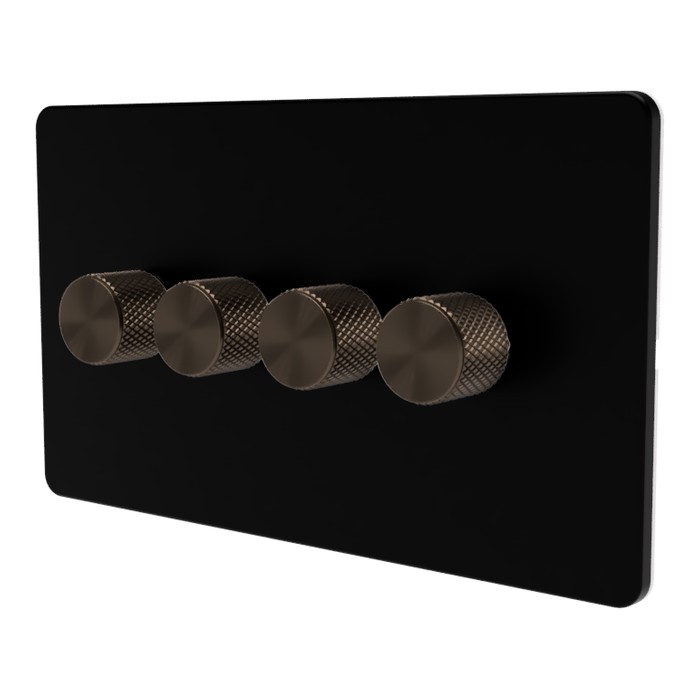
1-gang, 2-gang, 3-gang, 4-gang

Knob colour

Antique Brass, Black, Chrome, Gold, Grey, Silver

Brand

Samotech

Frequently Asked Questions

Will the SM323 dim my LED bulbs?

Yes, the SM323 is a trailing-edge dimmer designed for dimmable LED, halogen and incandescent bulbs from 5W to 200W. Some low-wattage LEDs may need a bypass capacitor for stable dimming at low loads, and when used with Live wire only.

Does the SM323 work with Home Assistant?

Yes, the SM323 uses native Zigbee 3.0 protocol and integrates directly with Home Assistant via ZHA or Zigbee2MQTT. It also works with Hubitat, SmartThings, and any Zigbee 3.0 hub. No cloud account or proprietary hub is required.

Does the SM323 require a neutral wire?

No, the SM323 does not require a neutral wire – it works in both no-neutral and conventional installations. In no-neutral wiring, bridge the L and N terminals as shown in the wiring diagram. If a neutral is present at the switch position, connect it normally for the most stable performance.

Can I use the SM323 in a 2-way circuit?

Yes, the SM323 supports 2-way and intermediate switching when paired with retractive (default config) switches or standard (pre-configured) on/off light switches.

Can I disable dimming on the SM323 and use it just as an on/off switch?

Lights connected to the SM323 can be turned on or off either by rotating the knob or by simply pressing it. If you want to avoid dimming altogether, just use the press action. Note that with non-dimmable bulbs, accidentally rotating the knob can still cause slight flickering, so dimmable bulbs are always preferred where possible.

Are the SM323 faceplates and knobs metal or plastic?

Samotech faceplates are made of plastic except the Chrome and Brass finishes, which are metal. All knobs are made of high quality aluminium except where the variant name specifically states plastic (for example, "white plastic"). Check the variant you have selected on the product page for the exact material.

When wired using only the Live wire, lights tend to flicker at full brightness.

Ensure you follow the wiring diagram correctly. If your dimmer is installed without a neutral wire, bridge L and N terminals as indicated in the wiring diagram.

My lights remain faintly lit even when turned off.

This phenomenon may occur if the dimmer is connected to a very low load. In such instances, the use of a bypass is recommended.

The dimmer knob remains stuck in the pressed position and doesn't pop back out.

The nut securing the dimmer to the metal faceplate may have been overtightened. Loosen it slightly to allow the knob to press and move freely.

The dimmer doesn't always react when the knob is pushed.

The knob could have been fitted too deeply. Slightly pull the knob for 1-2mm before pushing it gently again.

What third party faceplates are compatible with the new SM323 Zigbee modules?

Most 1 and 3-gang third-party faceplates are compatible. However, we recommend using original Samotech faceplates, as they provide access to the front reset and brightness adjustment buttons.

What is the method for resetting the lights if the reset button is inaccessible?

To reset the dimmer, cycle the power from the consumer unit five times.

Why do my lights flicker rapidly when I adjust the brightness using the dimmer knob?

First, verify that your bulbs are indeed dimmable. If they are, wiring a bypass could help solve the flickering issue.

My lights are constantly flashing after a power cut.

The dimmer may have entered Find & Bind mode, which can occasionally be triggered by repeated or unstable power cycling. Standard dimmable bulbs would normally ignore this, however some fixed LED fittings may fail to return to their normal operating state. To exit this mode, switch off power to the module at the consumer unit for a short period and then restore power.

Can two SM323 dimmers be wired together in a 2-way setup to control the same light?

Not via a hardware 2-way circuit. The SM323 doesn't use a master/companion architecture – every SM323 is fully independent, with its own Zigbee radio, processor and dimming stage.

For a hardware 2-way installation, an SM323 at one end can be paired with a standard light switch, dummy on/off dimmer, or retractive (momentary) switch at the other end. Retractive switches work with default settings; standard switches or dummy on/off dimmers require the 2-way mode to be set to Standard.

For a true two-dimmer virtual 2-way using Home Assistant:
The first SM323 is wired to the light fitting as normal. The second SM323 is wired with live and neutral only, no load connected. Because the load output isn't used, the second dimmer can be installed anywhere in the house – in a different room, on a different floor, even on a completely separate circuit. In Home Assistant, apply the Samotech Direct Mirror Pair blueprint to link the two. Both dimmers then control the same light, with on/off state and brightness mirroring in both directions within 200 ms.

This software-mirrored approach is only feasible if you are running Home Assistant.

Does the SM323 support decoupled mode (smart bulb mode)?

The SM323 does not include a firmware-level decoupled mode toggle (like some Aqara wall switches or Inovelli's Smart Bulb Mode), but the same functional outcome can be achieved by installation. Wire the SM323 with live and neutral only, no load connected. The dimmer's wall presses and rotation events still fire over Zigbee, but no light is driven from that switch position – Home Assistant or another hub can then route those events to any target.

This pattern delivers the practical benefits people use decoupled / smart bulb mode for:

  • Multi-position 2-way circuits without traveler wire – two SM323 dimmers mirrored via the Samotech Direct Mirror Pair blueprint
  • Wall control of smart bulbs – the wall position triggers HA automations that command Zigbee smart bulbs directly, so the bulbs always have mains power
  • Software-orchestrated lighting – the wall dimmer becomes a programmable input rather than a direct load controller

This pattern only works with Home Assistant or another hub that can react to Zigbee state-change events. Compared to a firmware-toggle decoupled switch, the SM323 sends state-change events rather than dedicated button-press events, but the functional outcome – wall input without local load control – is the same.

Can I use the SM323 to control smart bulbs like Philips Hue, IKEA Tradfri or Innr?

Yes. Wire the SM323 with live and neutral only, no load connected, and pair it with the smart bulb(s) in Home Assistant using either the Samotech Direct Mirror Pair blueprint (1 bulb) or the Samotech SM-Series Linked Sync Group blueprint (2 to 5 bulbs).

The smart bulbs stay on their own circuit, always powered at the mains, never switched off at the wall. Pushing the SM323 turns the bulbs on at the SM323's brightness; rotating dims them. App or voice commands on the bulbs propagate back to update the SM323's tracked state, so the wall position never gets out of sync.

This is the practical equivalent of decoupled mode / smart bulb mode on Aqara H1 wall switches or Inovelli Red/Blue dimmers, but with UK-engineered Samotech hardware (no-neutral, trailing-edge MOSFET, BS 7671:2018 aligned, fits standard UK 35 mm back boxes). Compatible bulbs include Philips Hue (via Hue Bridge + HA), IKEA Tradfri, Innr, Aqara LED bulbs, generic Zigbee bulbs via Zigbee2MQTT or ZHA, and Wi-Fi bulbs that expose as standard HA light.* entities.

What mirrors: on/off state and brightness (0–255) mirror in both directions. Colour (RGB) and colour temperature (CCT) do not mirror – the bulb keeps its last colour, which you can set via HA scenes or automations.

This setup only works with Home Assistant. Without HA, the SM323 with no load connected would still work as a Zigbee device but the bulbs wouldn't follow it.

How do I change the 2 way mode in Zigbee2MQTT?

Make sure your Zigbee2MQTT version is 0.2-1 or newer.
To configure your SM323 dimmer module, simply set the External Switch Type to match your switch:

  • push_switch – default mode for retractive light switches
  • normal_on_off – use this for standard light switches

⚠️ Note: After changing the mode, a power cycle of the SM323 module is required for the changes to take effect.

You can switch between modes at any time to suit your setup.

How do I change the 2 way mode in ZHA?

Once the Samotech ZHA quirk is loaded – either from a Home Assistant Core release that includes zigpy/zha-device-handlers PR #5039 or via the drop-in config/custom_zha_quirks/ file in the meantime – the SM323 exposes an External Switch Type select entity on the device. Set it to match your switch:

  • Push_button – default mode for retractive light switches
  • Normal_on_off – use this for standard light switches

⚠️ Note: After changing the mode, a power cycle of the SM323 module is required for the changes to take effect.

You can switch between modes at any time to suit your setup.

Does the SM323 work with Home Assistant ZHA?

Yes. The SM323 works with Home Assistant ZHA for on/off and dimming using standard Zigbee 3.0 clusters, no extra setup required. The manufacturer-specific external_switch_type attribute (Momentary, Toggle, 3-way) is exposed through a Samotech ZHA quirk submitted upstream as zigpy/zha-device-handlers PR #5039. Until the quirk merges into upstream and ships with a Home Assistant Core release, you can use the same file as a drop-in by placing it in your config/custom_zha_quirks/ folder. Zigbee2MQTT users have full support out of the box, including external_switch_type, with no quirk needed.

Manual

SM323 Zigbee Dimmer Manual V1 SM323 Zigbee Dimmer Manual V2

Technical Data

Manufacturer SAMOTECH
Part number SM323V2-PRO
Item weight 30 g
Product dimensions 51 × 26 × 24 mm
Type Trailing Edge Dimmer
Protocol Zigbee 3.0
Device type Router
Input voltage 230 VAC
Light control Push (On/Off), Rotary (Dimming)
Frequency 2.4 GHz
Max LED wattage 175 W
Max incandescent load 350 W
Max halogen load 350 W
Wiring requirements Live only or Live + Neutral
Switch type 2-way

Bulbs Compatibility Matrix

BULB / LOAD TYPE COMPATIBILITY RISK LEVEL TYPICAL SYMPTOMS RECOMMENDATION
SAMOTECH Dimmable GU10 SAMOTECH GU10 Compatible None None Recommended
Incandescent / Halogen Incandescent Halogen Compatible None None Recommended
Dimmable LED (Quality brands) Quality LED bulbs Compatible None None Recommended
Dimmable LED (Cheap / unknown) Cheap LED bulbs Conditional Very Low Minor flicker. May not turn off fully. Test first. Use a bypass if required.
Low load LEDs (<15W) Low load LED bulbs Conditional Very Low Minor flicker. May not turn off fully. Use a bypass
LED strips (220V dimmable driver) LED strip dimmable Conditional Medium Minor flicker Test first
Integrated LED fittings (separate LED driver, colour modes) Integrated LED fitting Conditional Medium Flashing or intermittent operation due to internal LED driver control Test first
Non-dimmable LED Non dimmable LED Not compatible High Flicker, overheating Do not use with dimmers
Smart bulbs Smart bulb Not compatible High Disconnects, rebooting Do not use with dimmers
LED strips (220V non-dimmable driver) Non dimmable LED strip Not compatible High Flicker, overheating Do not use with dimmers
Fluorescent / CFL CFL bulb Not compatible High Failure to start Do not use with dimmers

5 reviews for Zigbee Dimmer Switch – Black, Push/Rotary, No Neutral, HA, SmartThings, Hue

4.8
Based on 5 reviews
5 star
80
80%
4 star
20
20%
3 star
0%
2 star
0%
1 star
0%
1-5 of 5 reviews
  1. Excellent product. No neutral needed. Home Assistant compatible.

    (0) (0)
  2. Such a good product for the price. Now ordering more for the whole house. Connection and calibration was simple. Would love to see a metal option for the plate (hence 4 star not 5).

    (0) (0)
  3. Having a neutral makes this switch more reliable than the Auora AOne Zigbee switches they are replacing.

    (0) (0)
  4. straightforward to install, although I did need to add a deeper back box (35mm). Integrated immediately with Home Assistant and Z2M.

    (0) (0)
  5. (0) (0)
Add a review
You must be logged in to post a review Log In